Free Scrivener Template: The Scrivener Setup I Wish I'd Had at 30,000 Words
I wrote the first thirty thousand words of my novel in a single document. One file, one scroll bar, and a growing certainty that something was wrong that I could not name. It was not the writing. It was that I had no way to see the shape of what I was making.
The Scroll Bar the Size of a Grain of Rice
I wrote about the first 30,000 words of Dustling in a single document.
One file. When I needed to check whether I had already explained how the binding worked, I used Ctrl+F and hoped.
That is a workable way to write a short story. It is not a workable way to write romantasy.
I kept assuming the problem was my writing. That the middle dragged because the prose was weak, or because I was not disciplined enough. It took me an embarrassingly long time to understand that the problem was that I could not see the book. I was holding the whole book in my head and asking myself to notice structural problems from the inside of it.
Dustling isn’t out yet, but you can read Chapter One free.
Why Romantasy Breaks a Word Processor
Every novel is complicated. Romantasy is complicated in a specific way.
You are running two stories at once. There is the external plot - the war, the trials, the curse, the crown - and there is the romance arc, which has its own beats, its own pressure, and its own rules. Both have to work. If either one sags, the book stops, and the failure modes look completely different: a weak external plot reads as aimless, a weak romance reads as cold.
On top of that you are holding a magic system that has to stay consistent across four hundred pages, and you are almost certainly writing more than one point of view.
A word processor gives you one long scroll and asks you to keep all of it in your head. Scrivener gives you a filing cabinet instead. That is genuinely the whole pitch, and everything else it does is a consequence of that one idea.
The Binder I Ended Up With
Most Scrivener advice online is written for generic fiction. It gives you Manuscript, Characters, Places, Research, and leaves you there. That is not enough for a book with two spines.
Here is the structure I landed on after rebuilding it three times:
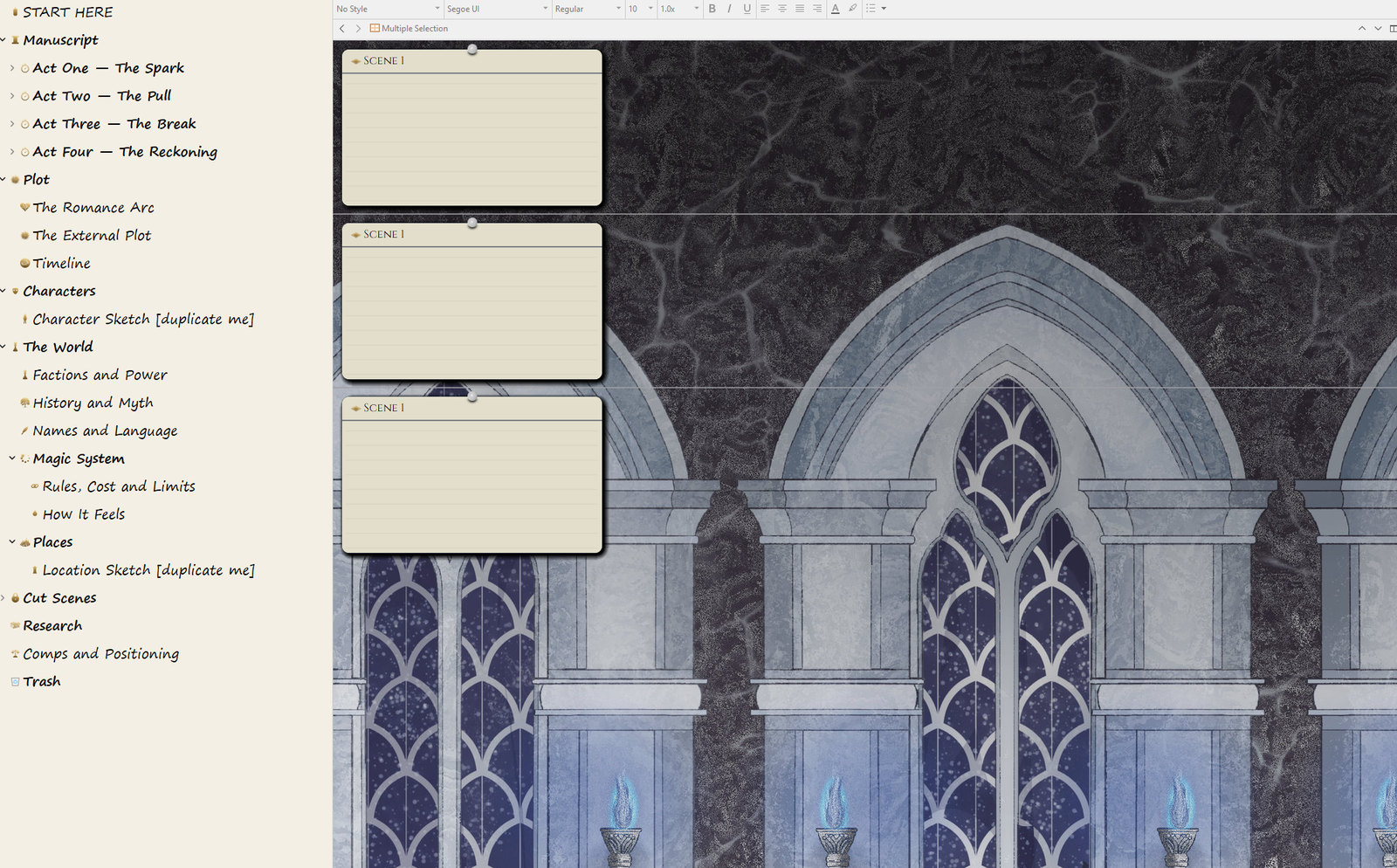
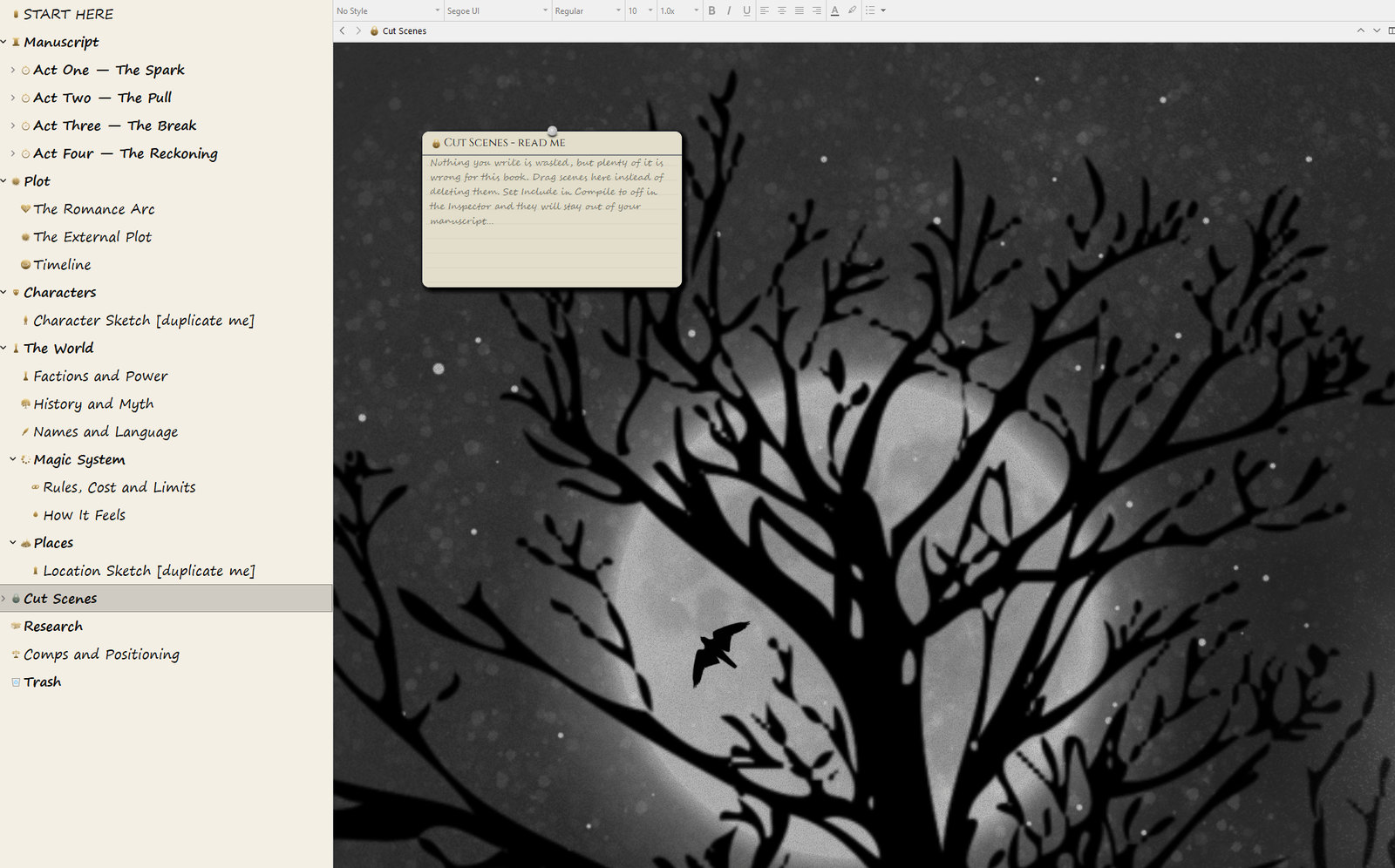
Manuscript - four act folders, each holding chapter folders, each holding scene documents
Plot - the romance beat sheet and the external plot beat sheet, side by side
Characters - one document per person, plus a blank sketch to duplicate
The World - magic system, factions, places, history, naming
Cut Scenes - the graveyard, kept out of the compiled manuscript
Research - comps, positioning, everything I did not write myself
Why Four Acts, Not Three
Three-act structure is fine as theory and terrible as a folder.
Act Two is fifty per cent of your book. Which means half your manuscript sits in one undifferentiated bucket, which is exactly the sagging middle problem you were trying to avoid in the first place.
Splitting it at the midpoint gives you four roughly equal containers. And the moment one of them is visibly fatter or thinner than the others in the Outliner, you have found a pacing problem without doing any analysis at all. The structure diagnoses itself.
The Thing That Actually Fixed My Middle
If you take one thing from this post, take this.
Your two midpoints want to be the same scene.
The moment that flips the romance - where the question the reader is asking changes - should be the same moment that reverses the external plot. When those land together, the book locks. Readers feel it and cannot say why. When they are eight chapters apart, the middle goes slack no matter how good the individual scenes are.
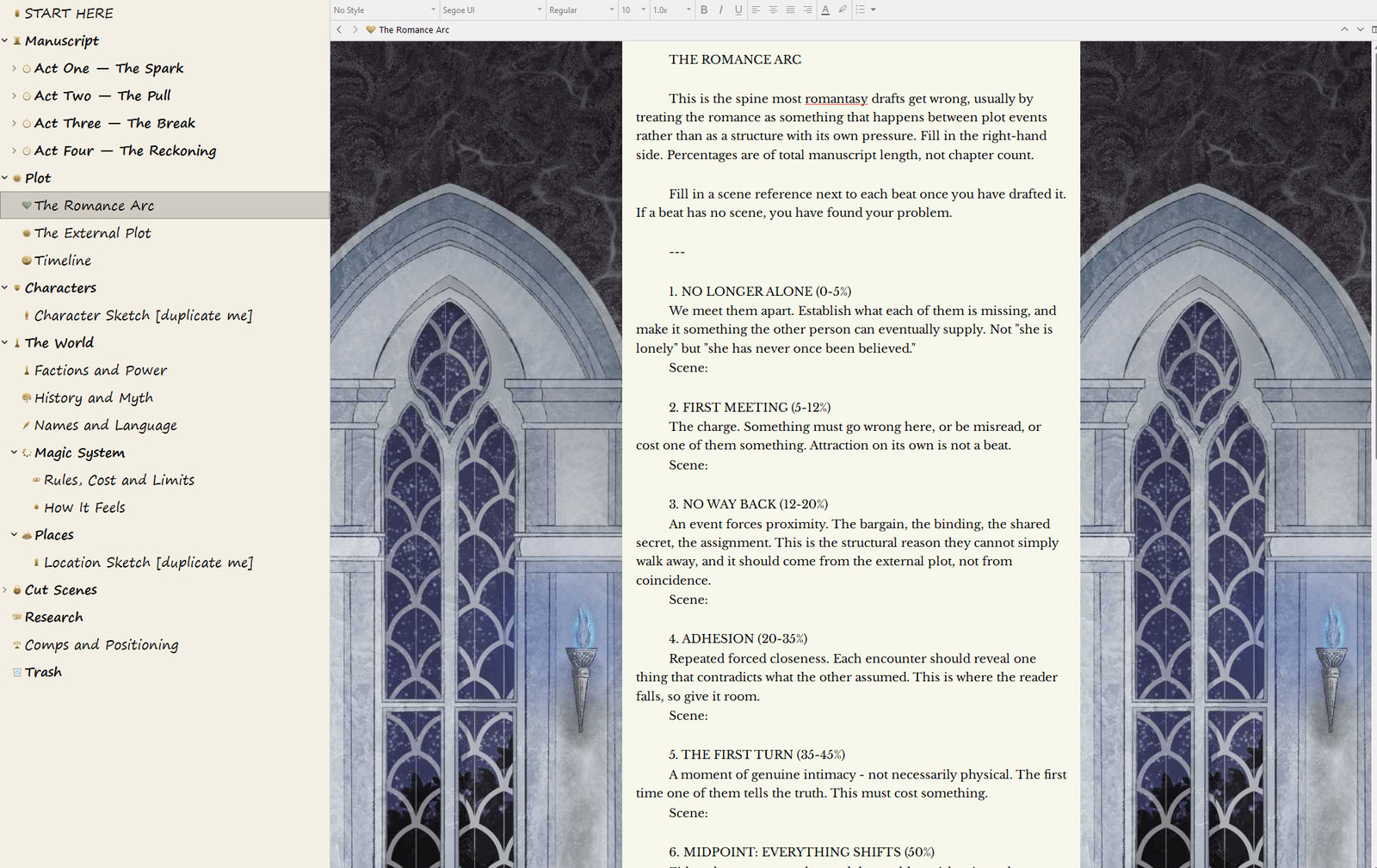
Both beat sheets come filled in with prompts and percentages, and there is a space next to each beat to note which scene carries it. If a beat has no scene, you have found your problem.
Three Fields That Earn Their Keep
Scrivener has five separate metadata systems and the temptation is to use all of them. Do not. Configuring your novel feels exactly like writing your novel and produces none of the same results.
POV as a colour label. Open your whole manuscript on the corkboard and you get a colour map of your point-of-view distribution. Long unbroken runs of one colour in the back half of a dual-POV book are the most common structural problem in the genre, and this makes it impossible to miss.
Story Beat as custom metadata. Fill it in as you draft, not before. Then open the Outliner with Story Beat and Word Count as columns, and you can see exactly where each beat lands as a proportion of your book. If your midpoint is sitting at thirty-eight per cent, you have a bloated Act Three ahead of you.
Scene Song. Paste a track link. Purely for you. Reopen a scene six weeks later, click the link, and you are back inside the mood you wrote it in. It is emotional rather than organisational, and it works anyway.
Making It Beautiful Enough to Open
This part is not strictly necessary and I am not going to pretend otherwise.
But there are days when the hardest thing is starting, and on those days it helps that opening the project feels like walking into somewhere. I painted the binder icons myself in Procreate - a quill, an hourglass, a scattering of dust for the magic system. The corkboard is a gothic arcade. The full-screen writing backdrop is a moonlit forest in the rain.
None of it makes the words better. It makes me sit down. That has turned out to matter more than I expected.
What Is in the Download
The template - everything above, ready to use in Scrivener 3 on Mac or Windows
The theme file - the backgrounds, the fonts, the colours, optional
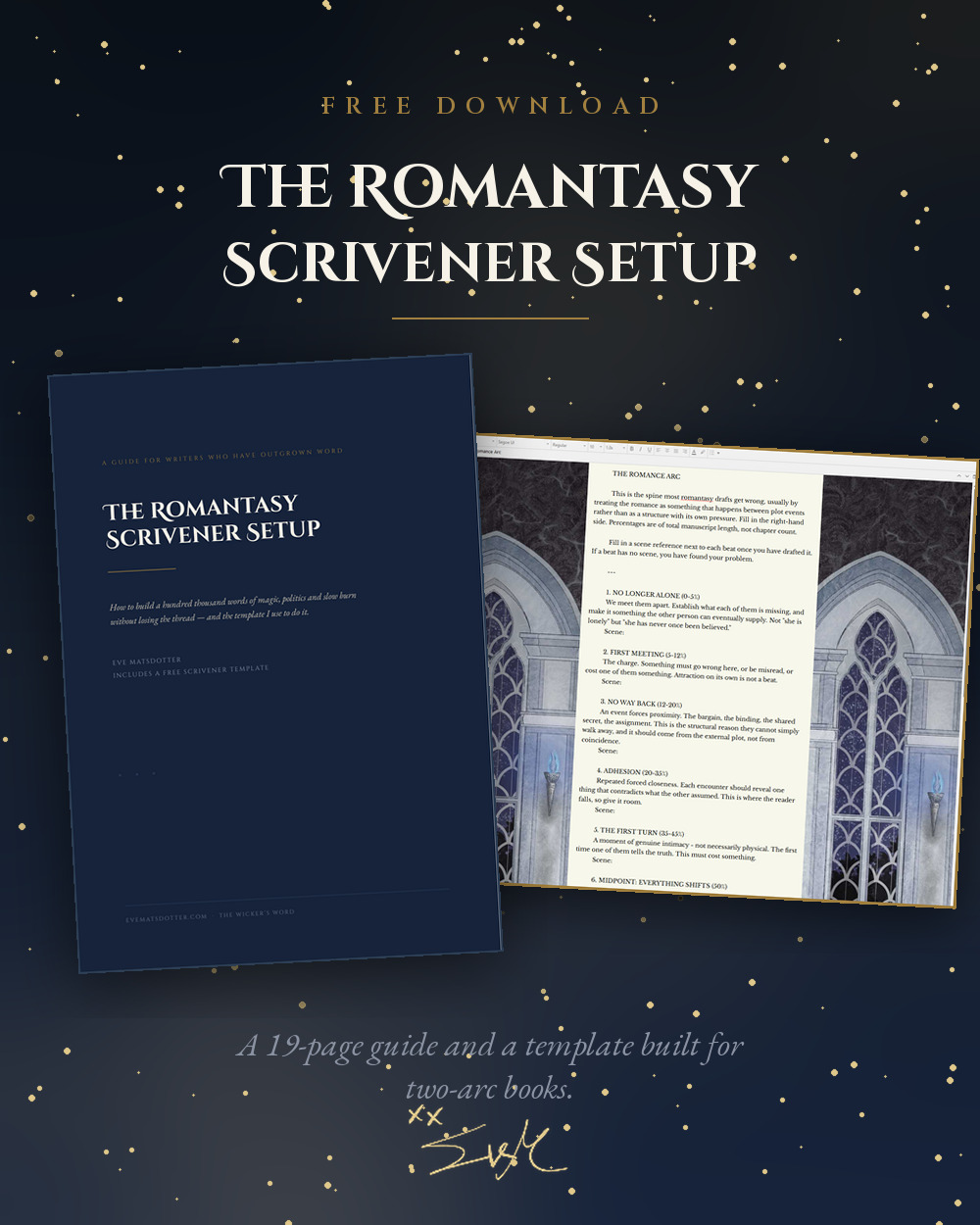
A 19-page guide - how to set up Scrivener for a novel, what to ignore, how to compile a manuscript for an agent, and the backup settings that will save your book one day
It is free. There is no catch and no upsell.
How to Install It
Do not double-click the template file. Import it instead.
Open Scrivener and choose File ▸ New Project
Click Options in the bottom-left corner
Choose Import Templates
Select the
.scrivtemplatefile
It will appear under Fiction as Romantasy Novel, and it will be there every time you start a new project.
Then open the START HERE document, read it, and delete it. Set your word target. And write something - anything - before you customise one more thing.
I have rebuilt my binder three times. Each rebuild felt like progress and produced zero words. The setup is not the work. The setup is what you do for twenty minutes so that the work has somewhere to live.
From the Vault
Download the Scrivener Setup (Windows)
Free for Wickers Word subscribers. Get it in the Vault →
You can find more free tools in the Vault. Please leave a comment below if you've tried out the template!
The Margins
Join the conversation
No notes in the margins yet. Be the first to leave one.
Keep reading
Related entries
 Writing
Save the Cat Beat Sheet for Dystopian Romantasy
This is a guide to structuring a dystopian romantasy novel with Blake Snyder's Save The Cat beat sheet. This guide has been specifically adapted to help you weave together two critical narrative threads: your high-stakes dystopian plot and your romance subplot.
 Writing
How to Plot a Dystopian Romantasy Novel for Writers Who Hate Plotting
A gentle way to plot a dystopian romantasy: start with your characters, layer in the world, then find the scenes that matter.
 Writing
On the Architecture of the Wound: What Story Genius Taught Me About Saelynn
I thought the problem with my first draft was the plot. Too thin, too scattered, too much happening without enough weight. Then I read Story Genius by Lisa Cron, and I understood I had it completely backwards. The plot was never the problem. The wound was.